Cart
Cart|
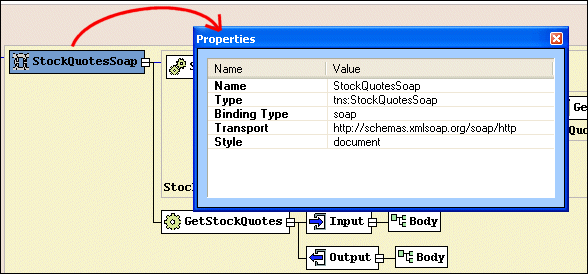
Home > Online Product Documentation > Table of Contents > Properties Window Properties WindowYou use the Properties window to set values for WSDL elements.
Not all element values can be set using the diagram pane - the Binding element's transport type, for example. You can write the necessary XML by hand in the text pane if you choose, but it can be easier, faster, and less error-prone to set these values using the drop-down lists for Values fields in the Properties window.
|

XML PRODUCTIVITY THROUGH INNOVATION ™